

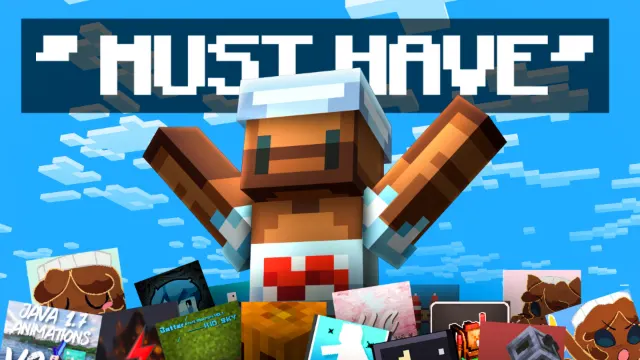
50 BEST Minecraft Bedrock Texture Packs You NEED! (2)
About
Part 2 of IcyNutella's 50 BEST Minecraft Bedrock Texture Packs: ten PvP and performance packs, including IcyNutella 50k, Java animations and Java chat.
This is the part to open if you play PvP. It has three full texture packs to choose from, the small Java-style tweaks that many Bedrock PvP players use, and a pack to help your frame rate. All ten files together come to about 41 MB, most of it the three main packs.

Three main packs
- IcyNutella 50k (12.8 MB): IcyNutella's own 16x PvP pack, released for the channel's 50,000-subscriber milestone.
- Bare Bones (5.5 MB), by Theothebald: a flat, simplified pack in the style of Minecraft's trailers, with very little texture noise, and number 15 in the video.
- DragonG Default (14.3 MB): a default edit that keeps Minecraft's own look but tidies it up for PvP, for players who don't want the game to look different.
Use one of these at a time. Full texture packs replace each other rather than combining, so stacking two only means the top one wins.
The small tweaks, pack by pack
- Java Animations by Ambient, version 2.5.1 (about 0.2 MB): brings Java Edition's animations to Bedrock. It also appears in IcyNutella's overlays folder and his video on the tools pros hide.
- Java Chat (about 3 KB): restyles the chat with Java-like buttons and a clean layout. It's one of the smallest files on the site.
- Jitr's crosshair (about 0.1 MB): replaces the default crosshair with a cleaner aim point.
- Mace 3D (about 8 KB): gives the mace a 3D model in your hand.
- ICY Jetpack Elytra (about 5 KB): turns the look of your elytra into a jetpack.
- CM Client by Apup (6.9 MB): a texture-pack client that adds client-style menus, with a transparent UI and Java-style chat, and it works on phones as well as PCs. It has its own page here.
- IcyNutella FPS Optimisation (1.1 MB): a performance pack made to cut lag. Its own page lists the free settings that help most.
Choosing your main pack
The three main packs suit different players:
- IcyNutella 50k is the pick if you want a fresh look that's still 16x, so it costs no extra performance.
- Bare Bones is for players who like things flat and simple, and it's the smallest of the three at 5.5 MB.
- DragonG Default keeps the game looking like Minecraft, just tidier, which makes it the easiest switch if you've only ever used vanilla.
Try each one for a full game in the mode you play most before deciding, since a pack can look great in the menu and feel different in a fight.
A ready-made order
Here's one way to stack the whole part in Settings > Global Resources, from the top of the list down:
- Jitr's crosshair
- Java Chat
- Java Animations
- Mace 3D and ICY Jetpack Elytra
- IcyNutella FPS Optimisation
- Your main pack: IcyNutella 50k, Bare Bones or DragonG Default
The pack higher in the list wins wherever two change the same thing, which is why the small, single-purpose packs go on top. Leave CM Client out of this stack if you use another UI pack.
Putting it together
Turn on your main pack first, then stack the smaller packs above it in Settings > Global Resources. The pack higher in the list wins where two change the same thing, so the crosshair, chat and animation packs go on top and IcyNutella 50k, Bare Bones or DragonG Default at the bottom. CM Client changes the menus, so don't run it with another UI pack.
If your frame rate drops
Start with FPS Optimisation and a 16x main pack before removing anything else. Bare Bones is also worth a try on slower devices, because its flat textures are simple to draw. The FPS pack's page lists the free settings that help most, like render distance and VSync.
Achievements and servers
These are all resource packs, so none of them turns off achievements. They only change what you see on your own screen, and they work on servers that let you use your own packs, like The Hive and Zeqa.
Common questions
Can I use two of the main packs together? Not usefully. Full texture packs replace each other, so only the one higher in your list shows. Pick one and keep the other two for a change of look later.
Is IcyNutella 50k like his earlier milestone packs? It's part of the same line, but each one has its own look: Icy 3k is pink and 32x, 4k is purple, 5k is red, and 50k is a 16x pack of its own. They each have a page here.
Does CM Client work on phones? Yes. It's a resource pack rather than a program, so it runs on Android and iOS as well as Windows.
Will the FPS pack fix lag on a weak phone? It can lighten the load, but settings like render distance usually make a bigger difference. The FPS pack's page goes through them.
Their own pages
IcyNutella 50k, CM Client and the FPS pack each have a page here with more detail.
- The BEST PvP Texture Pack Is Here... | IcyNutella 50k RELEASE by IcyNutella
- CM Client by Apup
- I Made an FPS BOOST Pack for Minecraft Bedrock... (MCPE 1.26+) | No Lag + 1000FPS by IcyNutella
Every file in the folder is a separate .mcpack, so download just the ones you want. Parts 1, 3, 4 and 5 hold the rest of the list. All credit goes to the creators of each pack.
Screenshots
Works on Minecraft Bedrock 26.63.
Tags: YouTubers
Guides
More pack folders
- 50 BEST Minecraft Bedrock Texture Packs You NEED! (1) by IcyNutella
- 50 BEST Minecraft Bedrock Texture Packs You NEED! (3) by IcyNutella
- 50 BEST Minecraft Bedrock Texture Packs You NEED! (4) by IcyNutella
- BEST Minecraft Bedrock PVP YouTuber Texture Packs (MCPE 1.26+) by IcyNutella
- Top 10 BEST Packs for Minecraft PvP by IcyNutella
- I Downloaded 100 Texture Packs... Here are My Top 10 by IcyNutella