

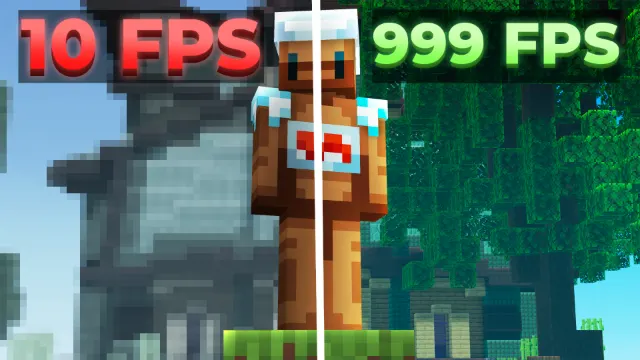
I Made an FPS BOOST Pack for Minecraft Bedrock... (MCPE 1.26+) | No Lag + 1000FPS
About
IcyNutella's FPS Optimisation pack for Minecraft Bedrock 1.26 and newer, made to cut lag and raise your frame rate on phones, tablets and PCs.
The folder holds one file, IcyNutella FPS Optimisation Mod, about 1.1 MB. It's a resource pack, so it works on Windows, Android and iOS without installing anything else, and you can turn it off again in seconds if you don't like it.

What to expect
The video compares frame rates with and without the pack and shows the in-game settings IcyNutella uses alongside it. How many extra frames you get depends on your device: a pack can lighten the load, but it can't make a slow phone fast. The pack builds on work by CraftStudiio, credited in the video description.
Free settings that help
A few free settings make a big difference on their own:
- VSync (Windows): turn it off in the Video settings, or your frame rate stays capped at your screen's refresh rate however light the game is.
- Render distance: lower it, since it decides how much of the world your device has to draw.
- Beautiful Skies and clouds: turn them off if you don't need them.
- Vibrant Visuals: if your version has it, switch the graphics mode back to Fancy or Simple, because Vibrant Visuals is far heavier.
Steady beats high
For PvP, steady frames matter more than a big number. A game that holds 120 FPS in a busy Bedwars fight feels better than one that hits 300 in an empty field and drops when the TNT goes off, so test the pack where you usually play.
How to tell if it's helping
Turn on an FPS counter first, like Star's FPS Counter from IcyNutella's Top 10 Essential packs, or Blueberry's on Windows. Note your frame rate in a busy spot, turn the FPS Optimisation pack on, and check the same spot again. If the number is steadier or higher, keep it. If nothing changes, your device was probably limited by something else, like render distance or a heavy texture pack.
Setting it up
Put the pack at the top of your Global Resources list so its changes show over your texture pack. If your main pack is very high resolution, try a 16x pack with it too: the jump from 128x or 256x textures down to 16x can save more than any setting. The resolution guide explains why.
Using it with other packs
The FPS pack is small, at 1.1 MB, and it's meant to sit on top of your other packs rather than replace them. Keep it near the top of Global Resources. If you use a big UI pack or a high-resolution texture pack, test with and without them too, since those affect your frame rate far more than any single small pack.
Common questions
Does it work on phones? Yes. It's a resource pack, so it imports on Android and iOS as well as Windows, and phones are where a lighter game helps most.
Will it change how my game looks? Try it and see. If you don't like the look, turn it off in Global Resources any time.
Does it turn off achievements? No. It's a resource pack, and resource packs don't affect achievements.
Who made it? IcyNutella, building on work by CraftStudiio, credited in the video description.
Step by step
- Open the MediaFire folder from this page and download IcyNutella_FPS_Optimisation_Mod.mcpack, about 1.1 MB.
- Open it, and Minecraft imports it. On iPhone, use Share and pick Minecraft.
- Go to Settings > Global Resources and activate it near the top of your list.
- Test your frame rate in the same spot as before.
On phones
Phones are where a lighter game helps most, since they have less power to spare and slow down when they get hot. Use the FPS pack with a 16x texture pack and a lower render distance, and keep your phone off the charger while you play if it heats up.
About the video
IcyNutella's video came out on 28 October 2026 and runs about nine minutes. He edited it himself, and the thumbnail is by nickickcikcle.
More on FPS
IcyNutella's FPS guide covers the settings in more depth, along with clients for Windows. The pack is also in part 2 of his 50 BEST list.
- How To BOOST FPS in Minecraft Bedrock (1000+ FPS) by IcyNutella
- 50 BEST Minecraft Bedrock Texture Packs You NEED! (2) by IcyNutella
The video's thumbnail is by nickickcikcle, and IcyNutella edited the video himself.
Screenshots
Works on Minecraft Bedrock 26.63.
Tags: PvP, Swords & items
Guides
More overlays
- BEST MCPE OVERLAYS For Minecraft Bedrock 1.26 by IcyNutella
- Minecraft Bedrock PvP Mods/Tools Pros HIDE From You... by IcyNutella