

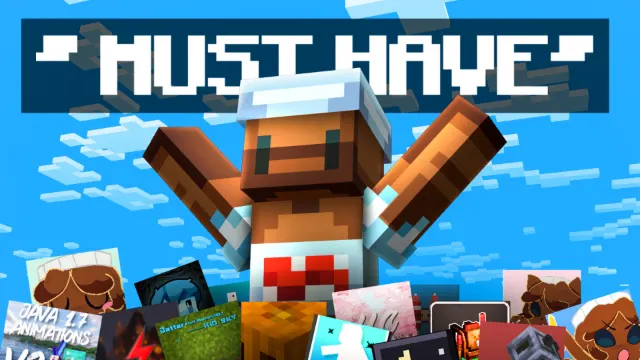
50 BEST Minecraft Bedrock Texture Packs You NEED! (3)
About
Part 3 of IcyNutella's 50 BEST Minecraft Bedrock Texture Packs: eight packs, led by the IcyNutella Overlay Mashup and the PvP favourite Low Fire.
Where part 2 is about main texture packs, this part is mostly overlays: small packs that sit on top of whatever texture pack you already use and change one thing each. The eight files come to about 13 MB, and several are tiny. Low Fire is about 38 KB.
Pack by pack
- IcyNutella Overlay Mashup (1.7 MB): combines many popular overlay packs into one, so you get a set of small PvP tweaks in a single file instead of stacking a dozen packs yourself. It also turns up in IcyNutella's top 10 from 100 packs and his perfect setup video.
- Low Fire (about 38 KB): lowers the flames on your screen while you're burning, so you can still see what's in front of you in a fight. It's in both of IcyNutella's overlay folders.
- The Better First Person (about 0.1 MB): changes how your hands and held items look in first person.
- Utility UI by HJN (3.5 MB): adds useful tweaks to the menus and HUD. It's also in IcyNutella's Top 10 Essential packs.
- 8bitcraft (4.6 MB): changes textures, and the largest file in this part.
- 1.20 Items Fix (0.3 MB): a small fix pack for items, also in IcyNutella's tools pros hide folder.
- Backpacked Armor (0.9 MB): the folder has the version labelled "without armor".
- Thumbnail Maker (1.5 MB): for creators, to help set up scenes for YouTube thumbnails. In IcyNutella's Top 10 Essential video, it's called the Ultimate Thumbnail Mod.
Where to start
For PvP, Low Fire and the Overlay Mashup are the two to try first: both are small, and both change things you notice in every fight. Add Utility UI if you want more from your menus, and leave Thumbnail Maker for when you're making videos.
Stacking overlays
Overlays are made to sit on top of your main texture pack. Turn on your texture pack first, then add the overlays above it in Settings > Global Resources, because the higher pack wins wherever two change the same texture. If the Overlay Mashup already covers something a separate pack does, you only need one of them, and keeping your list short makes it easier to see which pack is doing what.
Utility UI changes the menus, so it can clash with other UI packs or texture-pack clients like CM Client. If a screen looks broken, turn your UI packs off one by one until you find the one causing it.
A simple order
In Settings > Global Resources, a good order from the top of the list down is:
- Low Fire
- The Better First Person
- The IcyNutella Overlay Mashup
- Utility UI
- Your main texture pack
Single-purpose packs go highest so nothing covers them, and the main pack goes at the bottom so the overlays show on top of it. If something you expect doesn't show, move that pack up one place at a time.
Where they work
These are all resource packs, so they work in every world, and on Realms and servers that let you use your own packs. Low Fire and the Overlay Mashup only change textures, but some servers have rules about which packs you can use, so check before you join.
Achievements
All eight are resource packs, so none of them turns off achievements. That's the main difference from add-ons, which change how the game plays rather than how it looks.
For creators
Thumbnail Maker is the odd one out here, since it's made for setting up shots rather than playing. Turn it on when you're recording a thumbnail scene and off again afterwards, so it doesn't change your normal game.
Step by step
- Open this part's MediaFire folder and download the packs you want. All eight come to about 13 MB.
- Open each .mcpack, and Minecraft imports it. On iPhone, use Share and pick Minecraft.
- Activate them under Settings > Global Resources, above your main texture pack.
- Order them using the list above, single-purpose packs first.
Common questions
What's the difference between an overlay and a texture pack? A texture pack replaces most of the game's textures. An overlay changes only a few things, like your fire or your hands, and sits on top of whichever texture pack you use.
How do I know if two overlays overlap? Turn one off and see if anything changes. If nothing does, the other pack already covers it, and you can keep your list shorter.
Does Thumbnail Maker change my normal game? Only while it's switched on. Turn it on for a thumbnail scene and off again afterwards.
Will Utility UI break after a Minecraft update? Menu packs are the most likely to need an update after a big release. If a screen looks wrong, switch Utility UI off until a newer version is out.
More overlays
If you like this part, IcyNutella has two whole folders of overlays: the best overlays for 1.26 and the PvP tools pros hide from you. Low Fire is in both.
- BEST MCPE OVERLAYS For Minecraft Bedrock 1.26 by IcyNutella
- Minecraft Bedrock PvP Mods/Tools Pros HIDE From You... by IcyNutella
Each file in the folder is a separate .mcpack, so download only the ones you want. The rest of the 50 are in parts 1, 2, 4 and 5 here on mcbepacks. All credit goes to the creators of each pack.
Screenshots
Works on Minecraft Bedrock 26.63.
Tags: YouTubers
Guides
More pack folders
- 50 BEST Minecraft Bedrock Texture Packs You NEED! (1) by IcyNutella
- 50 BEST Minecraft Bedrock Texture Packs You NEED! (2) by IcyNutella
- 50 BEST Minecraft Bedrock Texture Packs You NEED! (4) by IcyNutella
- BEST Minecraft Bedrock PVP YouTuber Texture Packs (MCPE 1.26+) by IcyNutella
- Top 10 BEST Packs for Minecraft PvP by IcyNutella
- I Downloaded 100 Texture Packs... Here are My Top 10 by IcyNutella