

50 BEST Minecraft Bedrock Texture Packs You NEED! (1)
About
Part 1 of IcyNutella's 50 BEST Minecraft Bedrock Texture Packs: ten packs that change how the game looks and moves without replacing your main texture pack.
The video goes through fifty packs in about eight minutes, from PvP and FPS packs to cosmetic overlays, client-style packs and animation packs, so mcbepacks splits it into five parts of ten. This first part leans towards visuals and small comforts, and it's the lightest of the five: all ten files together come to about 4 MB.

Pack by pack
Each of the ten is its own .mcpack, so you can pick and choose. Here's what each one does, with its download size.
- Better VFX (about 0.2 MB): fluid player animations with pixel-style effects layered on top, for when you want your character to look lively. It has in-game settings, so you can turn the effects and the animation strength up or down, and it's one of the three winners in IcyNutella's animation pack test.
- Fluid Motions (about 24 KB): the smooth animations without the extra effects. It's the lighter of the two, so try it first on an older phone. It has in-game settings too.
- Slight Saturation (3 MB), by IcyNutella: turns Minecraft's colours up a little, so the world looks more vivid without looking unreal. It's the biggest file in this part, and it also appears in IcyNutella's video on packs that should be in vanilla.
- Dynamic Scenery (0.4 MB): a scenery pack that works on the world around you. Like the rest of this part, it sits on top of your main texture pack instead of replacing it.
- Fullbright (about 5 KB): removes darkness, so caves and nights look fully lit. It's one of the smallest files on the site, and handy for building and exploring.
- Ore Outlines (about 20 KB): draws an outline around ores, so they stand out on cave walls while you're mining.
- Dark Mode UI (0.1 MB), by IcyNutella: gives Minecraft's menus a dark theme, which is easier on the eyes at night.
- Cute Headwear (0.2 MB): cosmetic headwear for your character, and number one in the video. It's also one of IcyNutella's Top 10 Essential packs.
- Shoulder Cat Totem (version 2.2, 0.1 MB) and Shoulder Seal Totem (0.1 MB): two cosmetic totem packs, one themed on a cat and one on a seal. Pick whichever you like the look of.
Where to start
If you're new to packs like these, start with three: Slight Saturation for colour, Fluid Motions for movement and Dark Mode UI for the menus. They each change a different part of the game, so they won't clash, and together they come to just over 3 MB. Add Fullbright or Ore Outlines when you're building or mining, and switch them off again when you're not.
Running them together
Because each pack changes a different part of the game, most of them can run at once. If two do clash, the one higher in your Global Resources list wins, so put your favourite on top. Better VFX and Fluid Motions both animate your player, so pick one of them rather than stacking both. Animation packs also do more work each frame than a simple retexture, so on an older phone add them one at a time and keep the ones that don't slow you down.
Fair play
Fullbright and Ore Outlines make dark areas and ores easier to see. In your own worlds that's just convenience, but some servers have rules about packs like these, so check before you join with them on. The cosmetic packs here, like Cute Headwear and the shoulder totems, don't change anything about how you play.
Do they turn off achievements?
No. All ten are resource packs, and resource packs don't turn off achievements. Behavior packs and add-ons from outside the Marketplace are what switch them off, and there are none in this part. Part 4 has one, Invisible Item Frames.
Phones, PCs and consoles
Every pack here works on Windows, Android and iOS: open the .mcpack and Minecraft imports it. Consoles can't open pack files, so on Xbox, PlayStation or Switch you only see packs that come with a world, Realm or server you join. The console guide explains the options.
About the video
IcyNutella's 50 BEST video came out on 1 November 2026 on his main channel. It moves fast, at roughly ten seconds a pack, so watch it with this page open and note the ones you want. The video description links each part's folder, and the five pages here keep the same split.
The rest of the list
Packs 11 to 50 from the video are in parts 2 to 5, each with its own page and folder. Part 2 has IcyNutella's 50k pack and the Java-style tweaks, part 3 the Overlay Mashup and Low Fire, part 4 the 3D armour and Déesse UI, and part 5 the F3 screen and other small tools.
- 50 BEST Minecraft Bedrock Texture Packs You NEED! (2) by IcyNutella
- 50 BEST Minecraft Bedrock Texture Packs You NEED! (3) by IcyNutella
- 50 BEST Minecraft Bedrock Texture Packs You NEED! (4) by IcyNutella
- 50 BEST Minecraft Bedrock Texture Packs You NEED! (5) by Icynutella
The video description also links Better Bedrock and Azelux Client, which aren't packs and so aren't in these folders.
Turning them off again
To switch a pack off, open Settings > Global Resources, select it in your active list and deactivate it. To remove it from your device completely, go to Settings > Storage > Resource Packs and delete it there.
Common questions
Can I use all ten at once? Almost. They change different parts of the game, but Better VFX and Fluid Motions both animate your player, so keep only one of those two on. Everything else can run together.
Will they slow my game down? Most of these are tiny, and none of them raises the resolution of your textures. Animation packs do a little more work each frame than a retexture, so if your phone struggles, turn those off first.
Do they work with my texture pack? Yes. Put them above your texture pack in Global Resources and they show on top of it. If your texture pack changes the menus too, the higher of it and Dark Mode UI wins.
How do I update one? Delete the old version under Settings > Storage > Resource Packs, then import the new one, so you don't end up with two copies in your list.
Getting them
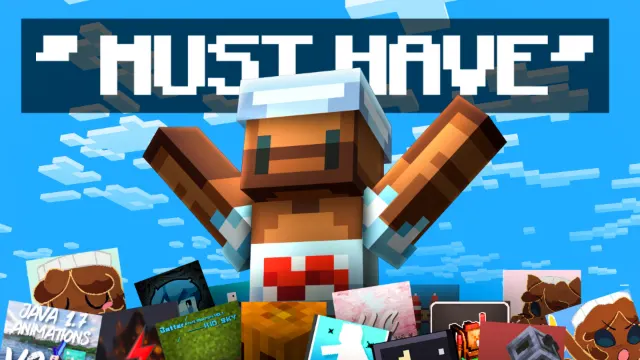
Each file in the MediaFire folder is a separate .mcpack, so you can download only the ones you want. Open each one to import it, then turn it on under Settings > Global Resources, above your main texture pack. All credit goes to the creators of each pack, and the video's thumbnail is by loonarz.
Screenshots
Works on Minecraft Bedrock 26.63.
Tags: YouTubers
Guides
More pack folders
- 50 BEST Minecraft Bedrock Texture Packs You NEED! (2) by IcyNutella
- 50 BEST Minecraft Bedrock Texture Packs You NEED! (3) by IcyNutella
- 50 BEST Minecraft Bedrock Texture Packs You NEED! (4) by IcyNutella
- BEST Minecraft Bedrock PVP YouTuber Texture Packs (MCPE 1.26+) by IcyNutella
- Top 10 BEST Packs for Minecraft PvP by IcyNutella
- I Downloaded 100 Texture Packs... Here are My Top 10 by IcyNutella