

Bedrock Mods/Texture Packs That Should Be in VANILLA Minecraft...
About
Ten FREE packs and add-ons with features that should be in vanilla Minecraft Bedrock: Java-style combat, a proper offhand, an F3 screen, The Sift and more.
They're listed in the order they appear in IcyNutella's video, with the time each one starts. Download the ones you want from the MediaFire folder, or grab them all: together they come to about 16 MB.

The Sift Dimension (0:21)
By trotamundos872: a fan-made remake of The Sift, the new dimension Mojang announced for 2027. It has its own biomes, like the Singer Meadow with its floating islands and ichor lakes, and Siftium, a mineral on a par with Netherite. To get there, find the portal in an Ancient City and play note blocks in harmony next to it. It's still in beta, so expect bugs. It comes as a resource pack and a behavior pack, and you need both.
IcyNutella's Java features (2:05 to 4:57)
- F3 Debug Screen, by IcyNutella: a Java-style F3 debug screen for Bedrock.
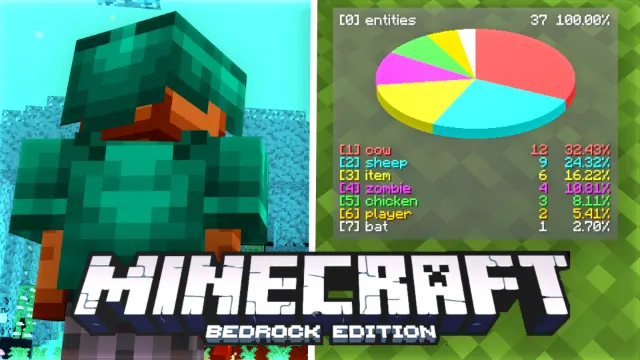
- Java Pie Chart, by IcyNutella: adds the pie chart from Java's debug screen.
- Java Sound Subtitles, by IcyNutella: revamps Bedrock's sound subtitles to match Java's.
Blurry's Java PvP (4:57)
By BlurryFACE: Java-style combat. You get the attack indicator, Java knockback on sprint hits, sweeping edge on swords and Java saturation, and you can raise your shield without crouching and eat from your offhand. Use /config for your own settings or /admin_config for the whole world. No experiments needed, but back up your world first, because removing the add-on deletes all weapons.
BrineFlash OffHand (6:37)
By BrineFlashYT: a Java-style offhand that works with over 1,400 items, including food, blocks, tools, potions, projectiles, bows, spears and tridents. To swap hands, tap the offhand slot on touch, double-press sneak on a controller, or type /f on PC, no cheats needed. It needs Minecraft 26.50 or newer and doesn't turn off achievements. Turn on all three of its packs: the behavior pack and both resource packs.
In-game pack switcher (7:48)
The in-game pack switcher from the video is part of Blueberry Client, which has its own page here on mcbepacks.
- I Tested The BEST Bedrock Edition Client... (Blueberry) by IcyNutella

Look and feel (8:12 to 10:12)
- Dark Mode UI, by IcyNutella: a dark theme for Minecraft's menus.
- Slight Saturation, by IcyNutella: makes Minecraft's colours a little more vivid.
- Enchant Icon, by Rvo: gives every enchanted book its own icon and shows its level, so you can tell them apart at a glance.
- Déesse UI, by ItzRiyo157: a UI pack full of new features and quality-of-life tweaks, like a chunk viewer, item durability text, a night vision toggle, a day counter and an armour preview when smithing. The full list is inside the pack under About UI. Don't use it with the creator's separate packs, like Quick Container, because those are already built in. Version 1.3.96 is for Minecraft 26.60 and newer.
Dark Mode UI and Déesse UI both change the menus, so if they clash, put the one you like best higher in your list.
Add-ons and resource packs
The ten come as two kinds of file, and they install differently:
- Add-ons, turned on world by world: The Sift Dimension (its resource pack is 6.9 MB, and it needs its behavior pack too), F3 Debug Screen 1.2.1 (about 20 KB), Java Pie Chart 1.0.4 (0.1 MB), Blurry's Java PvP 2.1 Beta 4 (0.7 MB) and BrineFlash OffHand 1.5.0 (2.3 MB).
- Resource packs, turned on once for every world: Java Sound Subtitles 1.0.1 (about 7 KB), Dark Mode UI (0.1 MB), Slight Saturation (3 MB), Enchant Icon 1.2.1 (about 60 KB) and Déesse UI 1.3.96 (2.4 MB).
Achievements
Resource packs don't affect achievements. Add-ons from outside the Marketplace usually turn them off in the world you use them in, so the five add-ons here will in most cases. BrineFlash OffHand is the exception: its maker says it doesn't turn off achievements. If you want to keep achievements in your main survival world, try the add-ons in a copy of it first.
Back up your world first
Some add-ons can't be removed cleanly. Blurry's Java PvP deletes all weapons if you take it off, for example. Before adding any of these to a world you care about, go to the world's settings and use Copy World, then try the add-on on the copy.
Where to start
If you only want one from each side, pick BrineFlash OffHand for gameplay, since it keeps achievements on, and Dark Mode UI for the look. Players who miss Java's combat should go straight to Blurry's Java PvP.
How to install
Open each file you download and Minecraft imports it. Texture and UI packs can go on for every world under Settings > Global Resources. The Sift, F3 Debug Screen, Java Pie Chart, Blurry's Java PvP and BrineFlash OffHand are add-ons: create or edit a world and turn them on under its Behavior Packs and Resource Packs. The add-ons guide has the full steps, including what add-ons mean for achievements.
Common questions
Is this the real Sift? No. It's a fan-made remake by trotamundos872 of the dimension Mojang has announced, so expect it to differ from Mojang's own version when that arrives.
Do add-ons work on phones? Yes. .mcaddon files import on Android and iOS as well as Windows. You turn them on in a world's settings, the same way on every device.
Can I use these on a server? The resource packs, yes, where the server lets you use your own packs. The add-ons only work in worlds you add them to, since a server decides its own gameplay.
Can I use Dark Mode UI and Déesse UI together? You can, but they both change the menus, so the one higher in your list wins where they overlap.
Step by step for the add-ons
- Download the add-on and open it, and Minecraft imports it.
- Create a new world, or make a copy of an existing one.
- In the world's settings, open Behavior Packs and activate the add-on. Its resource pack usually turns on with it; check under Resource Packs.
- Load the world and test it before you play for real.
Before you download
The ten files come to about 16 MB, and the biggest is The Sift's resource pack, at 6.9 MB. Everything else is small, so you can download the whole folder on mobile data.
About the video
The video came out on 12 November 2026 and runs about eleven and a half minutes, with a chapter for each pack, so the times above jump straight to them. The video description also links Blueberry Client's cosmetics and IcyNutella's Discord, where you can ask about any of these.
Related pages
IcyNutella's video on packs that make Java players jealous has Blurry's Java PvP and Déesse UI too, and part 1 of his 50 BEST list has Dark Mode UI and Slight Saturation.
- Bedrock Mods/Texture Packs That Make Java Players JEALOUS by IcyNutella
- 50 BEST Minecraft Bedrock Texture Packs You NEED! (1) by IcyNutella
All credit goes to the original creators. Check each pack's supported versions before installing. Join the community: discord.gg/icynutella
Screenshots
Works on Minecraft Bedrock 26.63.