

I Tested FREE Animation Texture Packs...
About
IcyNutella tests free animation packs for Minecraft Bedrock, from smooth walking and sprinting to combat combos and elytra effects, and keeps the best three.
Animation packs don't retexture anything. They change how your player moves, which is why they work with almost any texture pack and why a good one makes the game feel new without changing how it looks. All three winners together are about 1 MB, so they're quick to try even on mobile data.

The three packs
- Better VFX (about 245 KB): fluid player animations combined with pixel-style effects, for players who want the most movement and flair.
- Fluid Motions (about 24 KB): a lighter, animations-only pack, with smoother walking, sprinting and attacks but no extra effects.
- Xnova Remastered (about 0.9 MB): a first-person overhaul with smoother animations, adjustable hand modes and 3D models for items and tools.
What they animate
Between them, the packs cover walking and sprinting, combat combos, mounted sword swings, elytra effects and wind charge spins. Better VFX and Fluid Motions both come with in-game settings, so you can turn the effects and animation strength up or down to suit your style.
Better VFX and Fluid Motions compared
The two animation packs are close cousins, so it helps to know what separates them:
- Better VFX is about ten times the size of Fluid Motions, at around 245 KB, because it adds pixel-style effects on top of its animations.
- Fluid Motions sticks to the movement itself: walking, sprinting and attacks, made smoother, with nothing added on top.
- Both come with in-game settings to turn the animation strength up or down, and both animate the same moves, which is why you should keep only one on.
If you can't decide, start with Fluid Motions. You can always add the effects later by swapping to Better VFX.
Which one to pick
Pick by what you want to see. If you only want your character to move more smoothly, Fluid Motions is the one, and it's easier on older phones. If you want the full show, use Better VFX. Xnova Remastered changes what you see in first person, so it can sit alongside either of the others.

Setting them up
Animation packs are resource packs, so they're turned on in Settings > Global Resources. Put them above your texture pack in the list. Because they animate your player model rather than retexturing blocks, they work with almost any texture pack, but keep only one of Better VFX and Fluid Motions on at a time, since both animate the same moves.
Performance
Animation packs don't raise the resolution of your textures, so they won't make your game look heavier. They do a little more work each frame than a plain retexture, though, which you might notice on an older phone. If that happens, keep Fluid Motions, drop Better VFX, and keep Xnova Remastered only if your frame rate holds.
Xnova Remastered with either pack
Xnova Remastered changes what you see in first person, while the other two animate your player's movement. That's why it sits happily alongside either of them, and why the best setup for many players is Xnova Remastered plus one of the two.
Fair to use anywhere
Animations are cosmetic and don't change how the game plays. Resource packs only change your own screen, so other players see the normal game, and they're fine on servers that let you use your own packs.
The video and where else they appear
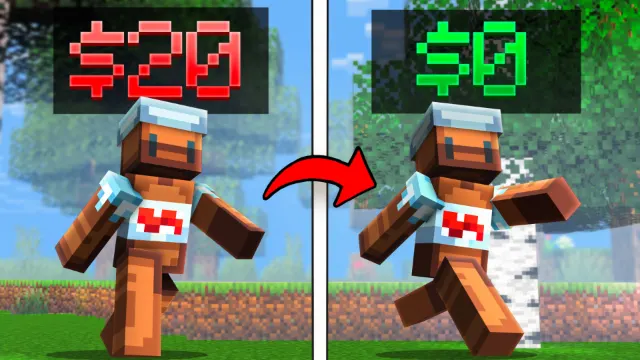
The ten-minute video shows each pack in action before you download, and IcyNutella made the thumbnail and edited it himself. Better VFX and Fluid Motions are also in part 1 of IcyNutella's 50 BEST packs, and Xnova Remastered turns up in his Top 10 Essential packs and his video on packs that make Java players jealous.
- 50 BEST Minecraft Bedrock Texture Packs You NEED! (1) by IcyNutella
- Top 10 ESSENTIAL Minecraft Bedrock Texture/Resource Packs! by IcyNutella
Before you download
All three come to about 1 MB together, so download them all and decide in game.
If something looks wrong
- Nothing changed: the pack is imported but not active, or it's below a pack that changes the same thing. Activate it and move it up the list.
- Hands or items look odd in first person: another pack above Xnova Remastered may be changing the same models. Move Xnova Remastered to the top, or turn the other pack off.
- The animations feel too strong: turn them down in Better VFX's or Fluid Motions' in-game settings.
Testing them
Third person is the best way to see player animations, so switch your view and walk, sprint and swing your sword. Then try first person to see Xnova Remastered's changes to your hands and items.
Common questions
Can other players see my animations? No. Resource packs only change what you see on your own screen. Other players see the game however their own packs show it.
Do they work with my texture pack? Yes. Put them above your texture pack in Global Resources. They animate your player rather than replacing textures, so they work with almost any pack.
Do they turn off achievements? No. They're resource packs, and resource packs don't affect achievements.
Will they keep working after Minecraft updates? Usually, but animation packs can break when Minecraft changes how players are animated. If yours looks odd after an update, switch it off until a new version is out.
Each pack is a separate .mcpack in the MediaFire folder. All credit goes to the creators of each pack.
Screenshots
Works on Minecraft Bedrock 26.63.
Tags: Aesthetic, Animation, First Person, Third Person, VFX
Guides
More pack folders
- Top 5 Best Bedwars MCPE PvP Texture Packs by Blitz
- BEST Minecraft Bedrock PVP YouTuber Texture Packs (MCPE 1.26+) by IcyNutella
- Top 10 BEST Packs for Minecraft PvP by IcyNutella
- I Downloaded 100 Texture Packs... Here are My Top 10 by IcyNutella
- The Hives FINEST Packfolder In Minecraft Bedrock Edition by xvjqz
- Hive CLASSIC Pack Folder by jze